
User access
Assign the workstation a person needs and test their sign-in journey. Keep the installed application environment and Windows permissions on the host you already manage.
Connect people to the Windows workstations you manage, with remote desktop, the connection broker and zero client mode in one product. Remotle gives you a consistent path from assigning a machine to opening it on a laptop or dedicated terminal.1
People should not need host addresses or a separate broker interface to reach a workstation. They sign in to Remotle and see the machines assigned to them, then connect by name.
Hosts connect outbound to the service. Remotle uses a direct connection where possible and relay fallback where needed. Review access, endpoint configuration and connectivity against each organisation’s requirements.
Assign the workstation a person needs and test their sign-in journey. Keep the installed application environment and Windows permissions on the host you already manage.
Use the Remotle app on existing devices or enrol a PC or Mac as a dedicated zero client. Kiosk mode is part of the Remotle licence.
Measure the actual desktop experience with a representative user, device and network. Check the whole deployment rather than judging the remote picture in isolation.
Compare the remote desktop, broker and endpoint together when reviewing your current stack.
Enrol an existing PC or Mac with a short code, or choose the Remotle device. A zero client opens Remotle for access to assigned workstations. Test the complete endpoint lifecycle before rolling it out across desks or customer sites.
Remote desktop, connection broker and zero client mode, together. Compare the whole route from the Windows workstation to the desk, including the client device and the people who use it.
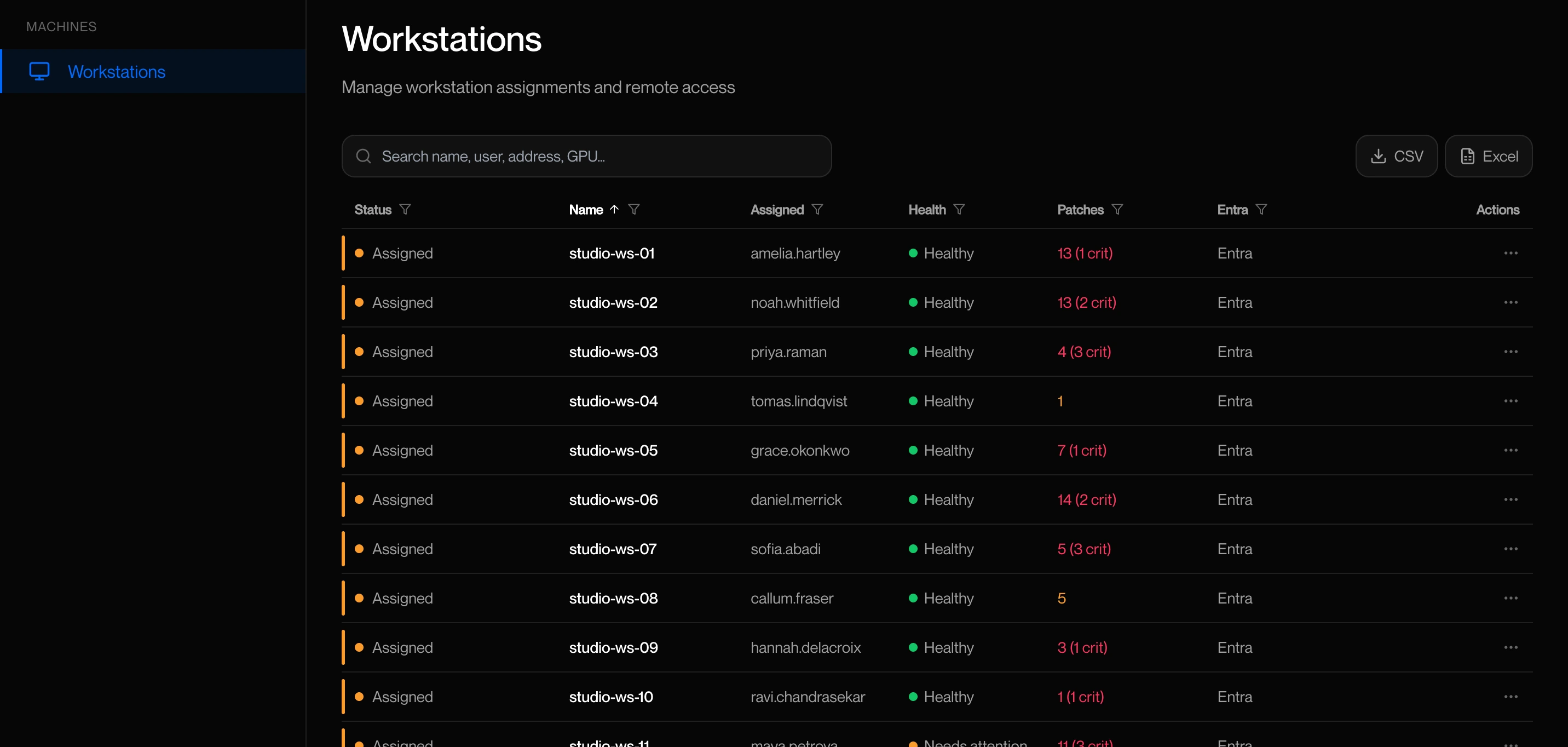
Build a small pilot that represents the service you want to operate, including a fixed desk and a remote laptop.
1 Performance depends on the workstation, the client device and its displays, and the network connection.
2 Applications run on the Windows host. Check software requirements and remote-use licensing for your intended deployment.
3 4:4:4 colour depends on the workstation graphics card and the client device. HDR10 needs an HDR monitor and a client device that supports HDR.
4 Resolution, frame rate and the number of monitors depend on the workstation graphics card, the client device and its displays, and the network connection. Picture quality and frame rate adjust to the bandwidth available.